
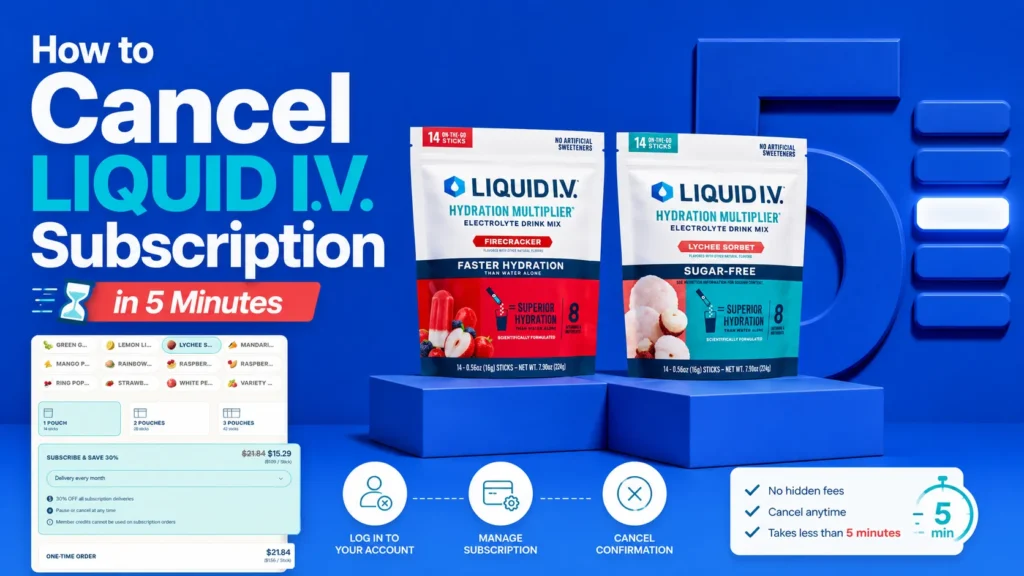
To cancel a Liquid I.V. subscription, sign in at Liquid-IV.com, open Membership Options, select the active membership, follow the cancellation prompts, and keep the confirmation email. The company calls its recurring program a membership, so searching only for a subscription menu can be confusing. This guide covers desktop and iPhone steps, contact options, billing timing, and what to do if the membership does not appear in your account.
Table of Contents
Why People Search for This
Many Liquid I.V. buyers sign up for a membership to save money, then forget to cancel their Liquid IV subscription before the next charge lands. Others switch electrolyte brands, cut back on hydration mixes, or simply want to order one box at a time instead of every month. Whatever the reason, cancelling isn’t complicated once you know where the button lives on Liquid I.V.’s website. Below, we break down every method – web, iPhone, phone, and email – so you can complete the steps to cancel Liquid IV subscription in under five minutes and confirm it actually stuck.
Liquid I.V. “Membership” vs. Subscription: What’s the Difference?
Liquid I.V. doesn’t technically sell a “subscription” in the way streaming services do – it calls its recurring program a Membership. When you sign up, you agree to receive repeat shipments of hydration multiplier packets on a schedule you choose, and your card is charged automatically each cycle. This matters because when you search for how to cancel Liquid IV subscription, the correct link on the site is labeled “Membership Options,” not “Subscription.”
Liquid I.V.’s own terms and conditions state that the company auto-renews memberships monthly, and each renewal period runs for one month unless you cancel first. Knowing this distinction saves you time, since hunting for the word “subscription” in your account dashboard may lead nowhere.
How to Cancel Liquid IV Subscription Online: Step-by-Step
This is the fastest and most reliable of the steps to cancel Liquid IV subscription, since it works from any browser on desktop or mobile.
- Go to liquid-iv.com and click the account icon in the top right corner.
- Sign in with the email address and password tied to your membership.
- Scroll to the bottom of any page and select “Membership Options.”
- Choose the membership you want to end.
- Follow the on-screen prompts to confirm cancellation.
- Watch your inbox for a confirmation email.
Liquid I.V. requires cancellation requests to arrive by the first day of the month; anything submitted on or after that date takes effect the following month. That one rule trips up more customers than any confusing menu ever could, so mark your calendar a few days early if you’re on a tight budget this cycle.
If you also carry a membership with a competing brand, the process looks similar but not identical. Our guide on how to cancel a DripDrop subscription walks through that company’s slightly different dashboard layout, which some readers find less intuitive than Liquid I.V.’s.
How to Cancel Liquid IV Subscription Online on iPhone
Liquid I.V. doesn’t offer a dedicated mobile app for managing memberships, so cancelling on an iPhone means using Safari or Chrome the same way you would on a computer, just on a smaller screen.
- Open Safari (or your preferred browser) on your iPhone.
- Visit liquid-iv.com and tap the account icon.
- Log in using Face ID autofill or a password saved in Keychain.
- Tap the menu icon, scroll down, and tap “Membership Options.”
- Tap your active membership, then follow the prompts to cancel.
One small tip: the “Membership Options” link is sometimes easier to spot in desktop mode. On iPhone Safari, tap the “aA” icon in the address bar and select “Request Desktop Website” if the mobile layout hides the link. This trick helps whether you’re trying to cancel Liquid IV subscription online on iPhone or just want a clearer view of your account settings.
Liquid I.V. Subscription Login: Where to Sign In
Every online cancellation method starts with the Liquid I.V. subscription login page. It’s the same login used for regular one-time orders. If you forgot your password, use the “Forgot Password” link on that page rather than creating a new account with a different email; a second account won’t show your existing membership and will only add confusion.
If your Liquid I.V. subscription login won’t accept your credentials, double-check that you’re using the exact email address that received your order confirmation. Liquid I.V. ties memberships to that address, and a small typo, like an extra Gmail dot or an old work email, is the single most common login failure.
How to Cancel Liquid IV Subscription by Phone or Email
Not everyone wants to dig through account settings, and that’s a fair alternate route through the steps to cancel Liquid IV subscription.
- Email: Write to [email protected] with your full name, the email on the account, and a clear request to cancel your membership. Ask for written confirmation.
- Help Center: Liquid I.V.’s support hub lets you submit a ticket if email doesn’t get a timely reply.
Liquid I.V.’s official terms page does not publish a dedicated phone hotline, so email and the online dashboard remain the two channels the company directly documents. If a third-party site lists a phone number, verify it against the official help center before dialing, since customer service numbers for consumer brands change often.
Switching brands rather than sticking around after cancellation? Our walkthrough on cancelling a Just Ingredients Electrolytes subscription covers a company with a similarly simple, login-based cancellation flow.
How Do I Completely Cancel My Liquid I.V. Subscription?
Clicking “cancel” once isn’t always the end of the story. So, how do I completely cancel Liquid IV subscription without a surprise charge next month? Run through this short checklist:
- Confirm you received a cancellation confirmation email.
- Log back into your Liquid I.V. subscription login a day later and verify the membership status reads “Cancelled,” not “Active” or “Paused.”
- Check your card statement after the next expected billing date to make sure no charge posted.
- Keep the confirmation email for at least one billing cycle in case you need to dispute a charge.
- Note that any order already scheduled within one business day of your cancellation may still ship, since fulfillment runs ahead of your click.
Following all five steps answers how do I completely cancel Liquid IV subscription for good, rather than assuming the first confirmation screen is the final word.
Liquid I.V. Cancellation Policy: Timing, Billing, and Refunds
The table below reflects the terms published directly on Liquid I.V.’s official site, not third-party assumptions.
| Policy Detail | What Liquid I.V. States |
| Renewal frequency | Monthly, automatic |
| Cancellation deadline | Before the first day of the month |
| Late cancellation | Takes effect the following month |
| Refunds after cancellation | Not automatic; email [email protected] to request one |
| Membership benefits after cancelling | Active until the end of the current paid term |
| Payment method accepted | Credit card only |
If your situation doesn’t match one of these rows exactly, such as a promotional or gifted membership, email support before assuming the standard policy applies. You can review the full terms on Liquid I.V.’s official terms and conditions page.
Common Problems When You Try to Cancel (and How to Fix Them)
- “I can’t find the cancel button.” Scroll to the site’s footer, not the account dashboard menu. The link sits under “Membership,” not under “Orders” or “Settings.”
- “I cancelled but got charged anyway.” Check the date you cancelled against the first-of-month rule above; a cancellation on the 2nd or later rolls into next month’s charge.
- “My confirmation email never arrived.” Check spam folders first, then email [email protected] directly asking for written proof of cancellation.
- “I have two accounts and can’t tell which one is charged.” Search your inbox for “Liquid I.V. order confirmation” and match the email address in the header to your login.
iPhone users trying to cancel Liquid IV subscription online on iPhone sometimes assume the mobile site is missing a feature that’s simply lower on the page than expected. Scrolling further, or switching to desktop mode, usually solves it.
Liquid I.V. Subscription Cancellation vs. Other Electrolyte Brands
This comparison looks only at how easy each brand makes cancellation, not at ingredients or taste. Where a brand doesn’t publish a detail, we mark it as not specified rather than guessing.
| Brand | Cancellation Method | Renewal Cutoff | Confirmation Provided |
| Liquid I.V. | Online account, email | Before the 1st of the month | |
| DripDrop | Online account, phone | Varies by order date | Email, per company policy |
| Just Ingredients | Online account | Before the next ship date | |
| LMNT | Online account | Not publicly specified |
For a deeper side-by-side on ingredients, sodium content, and pricing rather than cancellation mechanics, see our full comparison of how Liquid I.V. compares to LMNT.
Alternatives to Cancelling: Pause, Skip, or Adjust Frequency
If money isn’t the issue and you simply have too much product on hand, cancelling outright isn’t your only option:
- Skip the next shipment from inside your membership dashboard instead of ending it completely.
- Reduce frequency, for example moving from monthly to every 60 or 90 days.
- Swap flavors or box sizes rather than stopping altogether.
These options live in the same “Membership Options” area you’d use to cancel, so you’re never more than a click or two away from either choice.
If you’re stepping away from Liquid I.V. because an illness changed your hydration needs, our guide to the best electrolyte drink options when you’re sick outlines what to look for in that specific situation.
Know Your Rights: Subscription Cancellation Rules in the US
The Federal Trade Commission’s Negative Option Rule has been the center of a multi-year effort to require companies to make cancelling a subscription as easy as signing up for one. A federal appeals court vacated the FTC’s 2024 version of that rule in 2025, so it isn’t currently in force nationwide, but roughly 30 states now have their own automatic-renewal laws, some stricter than the vacated federal rule. Liquid I.V.’s current process, an online dashboard plus email support, already reflects the spirit of those proposals. This section is general consumer information, not legal advice.
Frequently Asked Questions
How do I cancel my Liquid I.V. subscription before my next charge?
Log in before the first day of the month and select “Membership Options,” then confirm cancellation. Requests made on or after the 1st apply to the following billing cycle.
Is Liquid I.V. hard to cancel?
No. The process takes a few minutes online, though the “Membership Options” link sits in the site footer rather than the main account menu, which trips up first-time cancelers.
Can I cancel Liquid IV subscription online on iPhone without an app?
Yes. There’s no dedicated app for membership management, so use Safari or Chrome and follow the same steps as desktop.
Will I get a refund after I cancel?
Not automatically. Liquid I.V.’s policy directs you to email [email protected] to request a refund, and approval isn’t guaranteed for shipments already sent.
What happens to my Liquid I.V. subscription login after I cancel?
Your login stays active for one-time orders and for viewing past purchases; only the recurring membership itself ends.
Can I pause instead of fully cancelling?
Yes, most accounts show a skip or pause option inside “Membership Options” alongside the cancel button.
How do I completely cancel Liquid IV subscription if I never set a password?
Use “Forgot Password” on the login page tied to the email address from your order confirmation, then follow the standard cancellation steps.
Does Liquid I.V. charge a cancellation fee?
No published terms mention a cancellation fee; the membership simply stops renewing.
What if I don’t receive a cancellation confirmation email?
Check spam first, then contact [email protected] directly and ask for written confirmation that your membership was cancelled.
Can someone else cancel my Liquid I.V. membership for me?
Only the account holder should manage cancellation, since Liquid I.V. ties access to the credentials for the original email address.
Final Verdict
Cancelling a Liquid I.V. membership is a five-minute task once you know that the site calls it “Membership,” not “subscription,” and that the button sits in the footer, not the dashboard. Whether you cancel from a desktop browser, an iPhone, email, or the help center, the same core rule governs timing: submit your request before the first of the month to avoid one more charge. Follow the checklist above, save your confirmation email, and check your next statement to make sure the steps to cancel Liquid IV subscription actually went through.
This article contains affiliate links. If you purchase through our links, we may earn a commission at no extra cost to you. We only recommend products we genuinely believe in. Read our Affiliate Disclaimer for full details.