
To cancel an Ultima Replenisher subscription, sign in to the account connected to your recurring order, open Manage Subscriptions, select the relevant product, and choose Cancel Subscription. Customers who checked out as guests or cannot access the portal can contact Ultima customer service for help. The steps below also cover Amazon Subscribe & Save orders, skipped deliveries, refunds, and what to check before the next shipment processes.
Table of Contents
Maybe your pantry is overflowing with electrolyte stickpacks. Maybe you switched flavors, switched brands, or just switched priorities. Whatever the reason, if you are searching for how to cancel Ultima Replenisher subscription, you are probably hoping for a straightforward answer rather than a maze of menus.
The good news: Ultima Replenisher built its Subscribe & Save program to be genuinely commitment-free. There is no contract, no hidden retention call, and no fee for stopping. This guide walks through the exact cancellation steps, what to do if you cannot find the cancel button, how to reach Ultima Replenisher customer service, and a few smart alternatives if you are not ready to fully quit.
What Is Ultima Replenisher’s Subscribe & Save Program?
Subscribe & Save is Ultima’s recurring order program, built directly into its Shopify-based online store. Customers choose a flavor, set a delivery frequency, and receive a discount on every recurring shipment.
According to Ultima’s official website, subscribers get 10% off plus free shipping on subscription orders, and deliveries can be scheduled every 30, 60, or 90 days. Ultima describes the program as “easy and risk free,” and states plainly that customers can skip a delivery or cancel at any time.
Key Facts About the Subscription Model
- Discount: 10% off subscription orders, according to Ultima’s official Subscribe & Save page
- Delivery frequency: Every 30, 60, or 90 days, chosen by the customer
- Commitment: None. Ultima states there is no long-term commitment
- Cancellation fee: None disclosed on Ultima’s official policies
- Account requirement: An account is recommended for self-service management, though guest subscribers can still get help via customer support
This structure matters because it directly answers the underlying question behind most searches for how to cancel Ultima Replenisher subscription: you are not locked into anything. The subscription exists purely for convenience and a discount, not as a binding agreement.
How to Cancel Ultima Replenisher Subscription Online (Step-by-Step)
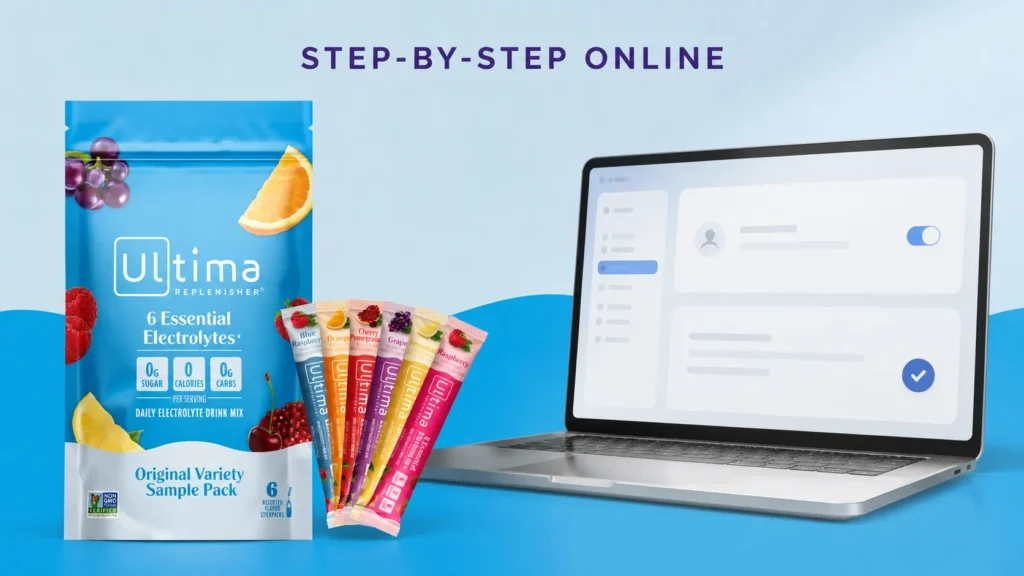
If you want to know how to cancel Ultima Replenisher subscription online without picking up the phone, the self-service account portal is the fastest route. Here is the process based on Ultima’s published subscription management instructions.
- Go to the Ultima Replenisher login page. Visit ultimareplenisher.com/account and sign in with the email address you used at checkout.
- Open “Manage Subscriptions”. Once logged in, find your active subscription listed under your account dashboard. Ultima’s subscription portal shows upcoming orders, including the next scheduled ship date.
- Select the subscription you want to stop. If you have more than one recurring product, choose the specific flavor or bundle you want to cancel rather than your whole account.
- Click “Cancel Subscription”. The portal will prompt you to confirm. Some subscription platforms ask a quick reason for canceling, which is optional feedback, not a requirement to proceed.
- Confirm and check your email. Look for a confirmation email verifying the subscription has been canceled. Keep this for your records in case a charge appears unexpectedly.
This entire process typically takes less than five minutes. There is no downgrade offer to click through repeatedly and no multi-step retention flow, based on how Ultima’s official Subscribe & Save policy describes the process.
If you are canceling because you are switching to single-serving purchases instead, our guide on the Ultima Replenisher Sample Pack is worth a look. It is a low-commitment way to try classic flavors like Lemonade and Grape before deciding whether to resubscribe later, without any recurring order attached.
What to Do If You Can’t Find the Cancel Button
Sometimes the cancel option is not obvious, especially if you checked out using Shop Pay, PayPal, or another express payment method. Here is what typically causes this and how to work around it.
| Issue | Likely Cause | What to Do |
| No “Cancel” option visible | Subscription may be linked to Shop Pay’s own portal rather than the main Ultima account | Check Ultima’s guidance on updating payment or shipping details through Shop Pay, or contact support directly |
| Can’t log in | Wrong email used at checkout, or account was created automatically during a guest purchase | Try the “forgot password” link, or use the email from your order confirmation receipt |
| Subscription already processed | Order entered its shipping window before cancellation was submitted | Ultima’s FAQ addresses this directly, i.e., orders already processing generally cannot be pulled back, but future shipments can still be canceled |
| Payment failed but subscription still active | Card decline does not automatically cancel a subscription | Update payment details or cancel manually to stop retry attempts |
If none of these apply, or the online portal is not cooperating, contacting Ultima Replenisher customer service directly is the most reliable fallback.
How to Contact Ultima Replenisher Customer Service
Ultima Replenisher customer service is available through three verified official channels, all listed on the company’s support page.
- Phone: 888-663-8584, Monday through Friday, 9am-5pm ET
- Online contact form: Available at ultimareplenisher.com/pages/support
- Live chat: Accessible via the chat icon on the lower right of the Ultima Replenisher website
When submitting the contact form, select “Need to change an order I placed” from the dropdown menu so your request routes to the right team. Ultima notes that requests submitted outside business hours receive a response once the team is back online.
For customers who prefer mail correspondence, Ultima’s parent company, Ultima Health Products, Inc., lists its address as 4 Essex Avenue, Suite 303, Bernardsville, NJ 07924, according to the official Ultima Replenisher support page.
Worth noting: if a stomach bug or dehydration episode is the reason you stocked up on electrolytes in the first place, our guide to electrolyte drinks for stomach flu breaks down which formulas are actually built for rapid rehydration versus everyday maintenance, which may explain whether you need a recurring order or just a one-time box.
Canceling an Ultima Replenisher Subscription Purchased on Amazon
If you subscribed through Amazon’s Subscribe & Save program rather than Ultima’s own website, the cancellation process is different because Amazon manages that subscription, not Ultima directly.
Steps to Cancel an Amazon Subscribe & Save Order
- Log into your Amazon account and go to “Your Orders”
- Select “Manage Subscriptions” or “Subscribe & Save Items”
- Find the Ultima Replenisher product listing
- Click “Cancel this delivery” or “End subscription”
Amazon’s own product listings for Ultima Replenisher confirm there are no fees to skip or cancel a Subscribe & Save order. This is separate from Ultima’s website account, so canceling on Amazon will not affect a subscription started directly through ultimareplenisher.com, and vice versa.
Pause, Skip, or Cancel: Which One Actually Fits Your Situation?
Full cancellation is not always the right move. Ultima’s subscription portal separates three distinct actions, and choosing the right one can save you from re-subscribing later and losing your discount rate.
| Option | What Happens | Best For |
| Skip next order | One shipment is postponed; the subscription continues afterward | You have leftover stock but still want future deliveries |
| Change frequency | Delivery cadence shifts (e.g., 30 to 60 days) without ending the plan | You are using product slower or faster than expected |
| Cancel subscription | All future recurring shipments stop immediately | You do not plan to reorder on a recurring basis |
If cost is the main driver, it is worth remembering that Subscribe & Save already includes a 10% discount. Fully canceling means you would pay full price on any future one-time order, so skipping a single delivery is often the more economical short-term fix.
Will Canceling Get You a Refund for Recent Charges?
Canceling a subscription stops future charges. It does not automatically refund an order that has already shipped or processed. For that, Ultima’s refund and satisfaction guarantee policies apply separately from the cancellation process.
Ultima Replenisher publishes a formal refund policy and a satisfaction guarantee page on its official website. If you are unhappy with a recent shipment, mention this specifically when contacting customer service, since refund requests are handled differently from subscription cancellation requests.
You can review the current terms directly on Ultima’s refund policy page and satisfaction guarantee page.
How Ultima’s Cancellation Process Compares to Other Electrolyte Brands
If you subscribe to more than one hydration brand, it helps to know that cancellation friction varies quite a bit across the category. This is general, publicly available information about each brand’s stated policy, not a ranking of product quality.
| Brand | Cancellation Method | Stated Fee | Notes |
| Ultima Replenisher | Online account portal, phone, or contact form | None disclosed | Subscribe & Save; 10% subscriber discount |
| LMNT | Online account portal | None disclosed | No subscription-only discount; flat pricing model |
| Liquid I.V. | Online account or customer support | None disclosed | Subscription discount varies by promotion |
| DripDrop | Online account portal | None disclosed | ORS-style formulation, subscription optional |
Across these brands, the pattern is consistent: subscriptions exist to encourage repeat purchases through a discount, not to create a binding contract. If you are weighing whether to stay with Ultima or try something else, it helps to see how competitors handle the exact same request.
Our step-by-step guide on how to cancel a Liquid I.V. subscription covers a nearly identical self-service process, and our walkthrough of how to cancel a DripDrop subscription is worth bookmarking if you subscribe to more than one hydration brand.
Pros and Cons of Staying Subscribed vs. Canceling
| Staying Subscribed | Canceling |
| 10% discount plus free shipping on recurring orders | No recurring charges to track or forget about |
| Automatic delivery means you never run out | Full control over when and how much you buy |
| Easy to adjust frequency if needs change | You lose the subscriber discount on future orders |
| Can be skipped without fully canceling | You will need to manually reorder each time |
Frequently Asked Questions
How do I cancel my Ultima Replenisher subscription?
Log into your account at ultimareplenisher.com/account, open the subscription management section, select the subscription, and click “Cancel Subscription.” You will typically receive a confirmation email once it is processed.
Can I cancel Ultima Replenisher subscription without logging in?
Guest checkouts still generate an account tied to your email, so you can usually log in with that same address. If you cannot access it, Ultima Replenisher customer service can cancel the subscription manually by phone or contact form.
Is there a fee to cancel my Ultima Replenisher subscription?
No. Ultima’s official Subscribe & Save page states the program is risk free with no long-term commitment, and no cancellation fee is disclosed anywhere in its published policies.
How do I access my Ultima Replenisher login if I forgot my password?
On the account login page, click “Forgot your password?” and enter the email used at checkout. Ultima will send a reset link to that address.
Can I cancel a subscription order that has already shipped?
No. Once an order enters processing, it generally cannot be pulled back, based on Ultima’s published subscription FAQs. You can still cancel future shipments before the next processing date.
What is the Ultima Replenisher Sample Pack, and does it come with a subscription?
The Sample Pack, listed on Ultima’s site as the “Original Starter” pack, is a 6-stickpack trial size featuring flavors like Lemonade and Grape. It can be purchased as a one-time order or added to Subscribe & Save, so double-check your selection at checkout if you only want a single trial box.
Will canceling my subscription delete my Ultima Replenisher account?
No. Canceling a subscription only stops recurring shipments. Your account, order history, and any loyalty points remain intact unless you separately request account deletion.
How do I reach Ultima Replenisher customer service directly?
Call 888-663-8584 Monday through Friday from 9am to 5pm ET, use the live chat icon on ultimareplenisher.com, or submit a request through the official contact form.
What happens if my payment method fails on a subscription order?
A failed payment does not cancel your subscription automatically. Ultima’s subscription FAQ recommends updating your payment method promptly to avoid a delayed shipment or a lapse in your discount status.
Can I pause my subscription instead of fully canceling it?
Yes. The subscription portal allows you to skip an upcoming order or change delivery frequency, which is often a better option than canceling if you plan to reorder eventually.
Final Verdict: Should You Cancel or Just Adjust Your Subscription?
From a purely practical standpoint, Ultima Replenisher’s cancellation process is about as low-friction as subscription commerce gets. There is no phone call requirement, no retention agent trying to talk you out of it, and no fee buried in the fine print, based on the company’s own published policies.
That said, full cancellation is not always the best fit. If your only frustration is delivery timing or flavor rotation, skipping an order or adjusting frequency solves the problem while keeping your 10% discount intact. Reserve full cancellation for when you genuinely do not plan to reorder on a recurring basis.
Either way, the process itself should not be the obstacle. Log in, find the subscription, and choose the option that matches what you actually need.
This article contains affiliate links. If you purchase through our links, we may earn a commission at no extra cost to you. We only recommend products we genuinely believe in. Read our Affiliate Disclaimer for full details.