To cancel a Gatorlyte subscription, first identify where you enrolled. For an order placed through Gatorade.com, sign in and open Account, then Subscriptions, to manage or cancel the recurring plan. If you used Amazon Subscribe & Save, make the change in Amazon instead. This guide explains both routes, what happens to pending orders, and where to look if the cancellation option is missing.
Table of Contents
If you searched for how to cancel Gatorlyte subscription, you’re probably staring at a fresh case of orange-flavored electrolyte bottles wondering why they keep showing up. Maybe your training season ended, maybe your fridge is full, or maybe you just want to pause things for a bit. Whatever the reason, canceling is a quick, self-service process, and you don’t need to talk to anyone on the phone to make it happen.
This guide walks through the exact steps for both Gatorade.com and Amazon Subscribe & Save subscriptions, what to expect after you cancel, and how to reach Gatorade customer service if something doesn’t go as planned. We’ll also cover common mix-ups, like confusing a Gatorlyte subscription with an unrelated “Gator” web-hosting subscription, which is a real source of confusion online.
Understanding Your Gatorlyte Subscription
Gatorlyte is part of Gatorade’s Subscribe & Save program, available directly through Gatorade.com. When you subscribe to a product, the site sets up recurring shipments at an interval you choose, usually every few weeks, so you don’t have to reorder manually every time you run low.
Before you try to cancel Gatorlyte online, it helps to know which platform your subscription actually lives on. Most people set theirs up in one of two places, and the cancellation steps are different for each.
- Gatorade.com account: Created directly on the brand’s website during checkout.
- Amazon Subscribe & Save: Set up through an Amazon product listing for Gatorlyte bottles or powder sticks.
If you’re not sure which one applies to you, check your email inbox for either a “Gatorade order confirmation” or an “Amazon Subscribe & Save” notice. That message will tell you where your subscription was created.
Gatorlyte isn’t the only hydration brand that runs recurring orders. If you’re also managing a household subscription to another electrolyte brand, our guide on how to cancel your Liquid IV subscription walks through that brand’s specific steps, which differ from Gatorade’s process in a few important ways.
How to Cancel Gatorlyte Subscription on Gatorade.com (Step by Step)
According to Gatorade’s official FAQ page, cancellations are handled entirely through your online account. There’s no cancellation fee, no required phone call, and no waiting period. Here’s exactly how to do it.
- Go to Gatorade.com and click the account icon in the top right corner.
- Log in with the email and password you used when you subscribed.
- Navigate to Account, then select Subscriptions from the menu.
- Find the active Gatorlyte subscription you want to stop.
- Select Cancel Subscription and confirm the action when prompted.
That’s it. Gatorade’s own support documentation confirms that once you’re logged in, you can view your subscription, edit the shipping address, change the payment method, or cancel it directly from that same Account > Subscriptions screen.
One helpful detail: canceling doesn’t lock you out of subscribing again later. Gatorade explicitly notes that you can cancel and create a new subscription with as many products as you would like at any time, so there’s no penalty for pausing and restarting.
How to Cancel a Gatorlyte Subscription on Amazon
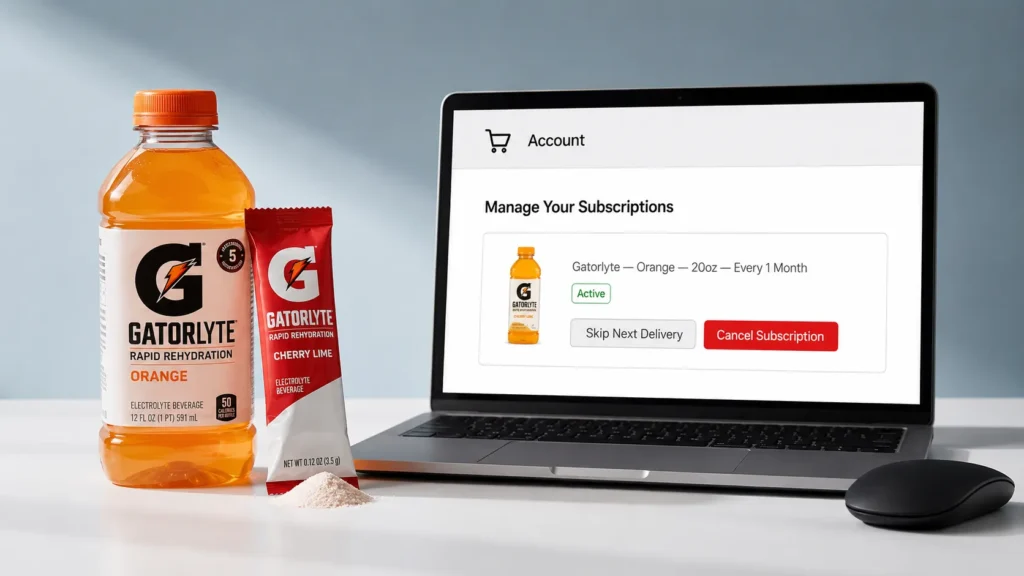
Plenty of shoppers subscribe to Gatorlyte through Amazon’s Subscribe & Save program instead of Gatorade’s own site. Amazon’s product listings for Gatorlyte explicitly state there are no fees and you can skip or cancel anytime, which matches the flexibility Gatorade offers on its own platform.
- Sign in to your Amazon account and go to Your Orders.
- Select Manage Subscriptions from the left-hand menu.
- Locate your Gatorlyte subscription in the list.
- Click Cancel Subscription and confirm.
Amazon typically processes this instantly, though any order already in the shipping queue may still arrive since it was charged and packed before you canceled.
Comparison Table: Cancellation Channels at a Glance
| Cancellation Method | Where to Do It | Best For |
| Gatorade.com account | Account > Subscriptions, after logging in | Anyone who created an account when subscribing |
| Gatorade Contact Us form | contact.pepsico.com/gatorade | People who lost account access or need help |
| Amazon Subscribe & Save | Amazon > Your Orders > Manage Subscriptions | Anyone who subscribed to Gatorlyte through Amazon |
What Happens After You Deactivate Your Gatorlyte Subscription?
A common follow-up question is, “how do I deactivate Gatorlyte subscription and know it actually worked?” Once you cancel, the change takes effect immediately in your account dashboard. You will not be charged for the next scheduled shipment, and no further orders will process.
- Any order already charged and marked as shipping will still arrive; cancellation stops future orders, not ones already in motion.
- You’ll typically receive a confirmation email, though Gatorade recommends checking your account status directly if you don’t see one.
- All sales on Gatorade.com are final, per the official return policy, so a subscription cancellation does not automatically trigger a refund for past shipments.
If your goal is simply to switch products rather than stop hydration deliveries altogether, it’s worth comparing formulas first. Our breakdown of electrolyte drinks for runners covers which sodium and potassium levels actually matter for different training loads, which can help you decide whether Gatorlyte, standard Gatorade, or something else fits your routine better.
Can I Modify or Cancel My Gatorade Subscription Instead of Stopping It Completely?
Not every situation calls for a full cancellation. Maybe your case of Gatorlyte just needs to arrive less often, or you want to switch flavors. Gatorade’s account dashboard supports several adjustments beyond canceling outright.
- Change delivery frequency (for example, from every two weeks to every six weeks).
- Update your shipping address if you’ve moved.
- Swap your payment method if a card has expired.
- Add a new subscription for a different flavor or product without affecting your current one.
All of these options live in the same Account > Subscriptions area used for cancellation, so you don’t need a separate tool or a support ticket for routine changes.
Gatorlyte Customer Service: When to Contact Support
Most people never need to speak with a live representative to cancel. But a few situations genuinely call for reaching out to Gatorlyte customer service directly.
- You’ve lost access to the email or account used to create the subscription.
- A shipment arrived damaged, incorrect, or short on items (report within 45 days of delivery).
- You canceled but were still charged for a new order.
The official channel for these issues is the Gatorade Contact Us page, reachable at contact.pepsico.com/gatorade. Since Gatorade is a PepsiCo brand, support requests are routed through PepsiCo’s consumer relations team rather than a dedicated phone line, so email or the online contact form is typically the fastest path to a resolution.
“How Can I Cancel My Gator Subscription?” – A Common Mix-Up
Here’s something worth flagging: a lot of search traffic for “how can I cancel my Gator subscription” actually has nothing to do with Gatorade at all. Gator.com is a separate company that provides web hosting and website-building services, unrelated to the sports drink brand.
If you’re trying to cancel a website hosting plan, that request goes to Gator’s own support team by email, not to Gatorade. If you’re trying to stop electrolyte drink shipments, the steps earlier in this guide, through Gatorade.com or Amazon, are the correct path. Double-checking your recent bank or card statement for the merchant name is the fastest way to tell which “Gator” charge you’re actually dealing with.
Gatorlyte vs. Other Electrolyte Options: Should You Switch Instead of Canceling?
If price or sugar content is part of why you’re canceling, it helps to see how Gatorlyte compares with a few common alternatives before deciding to stop hydration products altogether. The figures below come from official nutrition labels and brand FAQ pages; values marked with an asterisk are approximate and can vary by flavor, so always confirm against the label on the product you buy.
| Product | Sodium | Potassium | Magnesium | Sugar | Calories | Sweetener | Price Tier |
| Gatorlyte (20 oz) | 490 mg | 350 mg | 105 mg | 12 g | ~50 | None (no artificial sweeteners) | Mid-range |
| Gatorade Thirst Quencher (20 oz) | 270 mg | 75 mg | 0 mg | 34 g | 140 | None | Budget |
| Gatorade Zero (20 oz) | 270 mg | 75 mg | 0 mg | 0 g | 0-5 | Sucralose, Acesulfame K | Budget |
| Pedialyte Classic (1 L) | 1035 mg* | 780 mg* | 0 mg | ~25 g* | ~100* | None (some flavors use sucralose) | Mid-range |
Gatorlyte sits between standard Gatorade and oral rehydration solutions like Pedialyte. It carries meaningfully more sodium and potassium than regular Gatorade Thirst Quencher while using noticeably less sugar, which is why Gatorade positions it for rapid rehydration after heavy or salty sweating rather than as a mid-workout fuel source.
If sugar content specifically is your concern, it’s worth reading our comparison of electrolyte drinks for stomach flu and illness recovery, since oral rehydration formulas are built around a very different sugar-to-electrolyte ratio than sports drinks designed for athletic performance.
Pros and Cons of Staying Subscribed to Gatorlyte
| Pros | Cons |
|---|---|
| No fees to subscribe, pause, skip, or cancel. | All sales on Gatorade.com are final, so mistimed orders aren’t refundable. |
| Flexible delivery frequency you can adjust anytime. | Products already shipped before cancellation will still arrive and be charged. |
| Convenient for households or athletes with consistent, predictable hydration needs. | Requires maintaining an active account, since subscriptions cannot be managed as a guest. |
Troubleshooting: What If Cancellation Doesn’t Go Through?
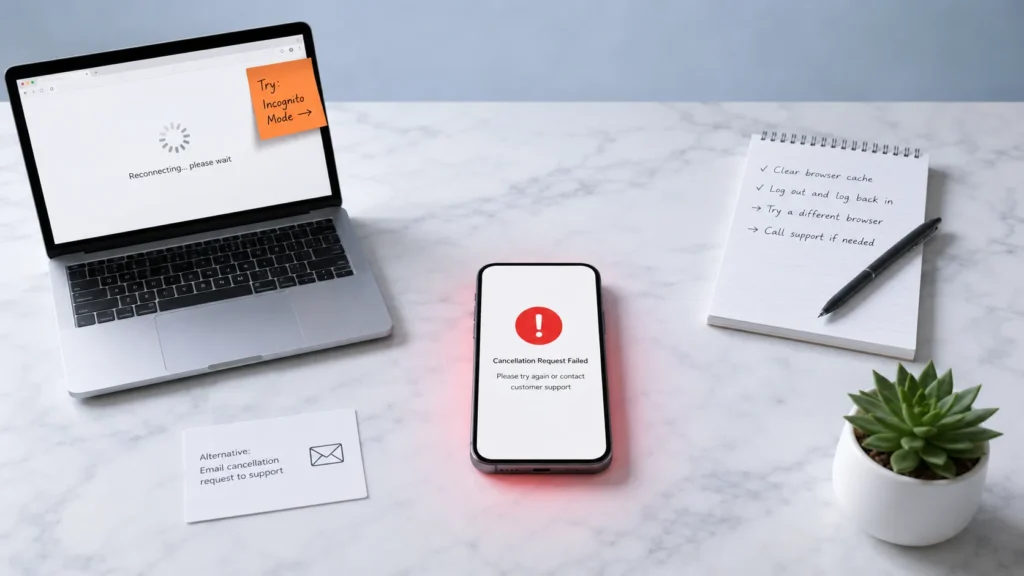
Occasionally, a cancellation attempt doesn’t stick, usually because of a browser issue or an order that already entered processing. Try these steps in order.
- Refresh the Account > Subscriptions page and confirm the status shown next to your plan.
- Log out completely and log back in, since cached account data can sometimes show outdated subscription status.
- Check for a separate confirmation email, which usually arrives within a few minutes of a successful cancellation.
- If the subscription still shows as active after 24 hours, contact Gatorade support through the official Contact Us page with your order number.
Frequently Asked Questions
Can I modify or cancel my Gatorade subscription at any time?
Yes. Gatorade’s official FAQ confirms you can view, edit, or cancel a subscription directly from Account > Subscriptions whenever you like, with no minimum commitment period.
How to cancel Gatorlyte online without calling anyone?
Log into your Gatorade.com account, go to Account > Subscriptions, and select Cancel. The entire process is self-service and typically takes under a minute.
Does Gatorlyte customer service charge a cancellation fee?
No. Gatorade does not charge fees for subscribing, skipping, pausing, or canceling any Subscribe & Save order, including Gatorlyte.
How do I deactivate Gatorlyte subscription if I forgot my password?
Use the “Forgot Password” link on the Gatorade.com login page to reset your credentials, then proceed to Account > Subscriptions as usual.
How can I cancel my Gator subscription if it’s web hosting, not a drink?
That’s an unrelated company, Gator.com, which provides website hosting. Contact their support team directly through their own help center rather than Gatorade.
Will I get a refund after canceling my Gatorlyte subscription?
Gatorade’s return policy states all sales on Gatorade.com are final. Canceling stops future shipments but does not refund orders already delivered or shipped.
Can I pause my Gatorlyte subscription instead of canceling it completely?
The Gatorade dashboard allows you to change delivery frequency, which functions as a practical pause if you extend the interval significantly rather than canceling outright.
What happens to my Gatorlyte subscription if my card expires?
You can update your payment method anytime under Account > Subscriptions. If a charge fails and isn’t corrected, the subscription may be paused automatically.
Is Gatorlyte cancellation different on Amazon versus Gatorade.com?
Yes. Amazon subscriptions are managed under Your Orders > Manage Subscriptions on Amazon’s site, separate from any account you may also have on Gatorade.com.
Can I resubscribe to Gatorlyte after canceling?
Yes. Gatorade explicitly allows customers to cancel and create a new subscription with any products at any time, with no waiting period or penalty.
Final Verdict: Is Canceling Your Gatorlyte Subscription the Right Move?
Canceling a Gatorlyte subscription is a straightforward, fee-free process whether you signed up through Gatorade.com or Amazon. There’s no retention call, no hidden penalty, and no waiting period standing between you and stopping future shipments.
That said, if your real complaint is sugar content, price, or flavor variety rather than the subscription model itself, adjusting frequency or switching products might solve the problem without giving up the convenience of automatic delivery entirely. Either way, the choice is genuinely yours to make in a couple of clicks.
For more head-to-head comparisons on hydration products, our full library of guides at Instant Hydration Ice covers everything from ingredient breakdowns to subscription management for other major electrolyte brands.
This article contains affiliate links. If you purchase through our links, we may earn a commission at no extra cost to you. We only recommend products we genuinely believe in. Read our Affiliate Disclaimer for full details.